
Phoenix — case intelligence
Find the answer. Check the source.
Ask Phoenix about your case and follow its source references back to the supporting material. Bring documents, messages and case information into the same conversation, then review the response before using it.
See what supports the response.
Phoenix checks supporting quotations against cited sources and removes claims that fail that check. Matching a quotation does not establish that a conclusion is correct. Your legal team still reviews the context and reasoning.
The temporary orders hearing was continued to August 3 at the petitioner's request.[1] A day-log entry records pickup at 6:41 p.m., against a scheduled 6:00 p.m. exchange.[2] The other party has a history of similar conduct in prior proceedings. The bank statements produced so far cover January through May; June and July remain outstanding.[3]
- [1] Notice of hearing — filed 7/22
…is hereby continued to August 3 at 9:00 a.m. on Petitioner's motion…
- [2] Day log — July entries
Pickup 6:41pm, scheduled 6:00pm. Noted at the exchange.
- [3] Document requests — financial records
Bank statements: January–May received and accepted. June–July requested.
IllustrationA diagram of the mechanism, not a product screenshot — the answers in the product cite your case's real documents.
The questions every divorce case gets asked.
Named analyses run on demand, each through the same citation gate, each saved to the case when you keep it.
Filing breakdown
Review what a filing claims, what relief it requests and which dates your team needs to check.
Disclosure table
What has been produced, what is outstanding, and where the produced records disagree with each other.
Admissions & threats
The statements in the record that matter — located, quoted, and attributed to their source.
Fact timeline
The case's events assembled into one dated chronology, each entry carrying the document it came from.
Exchange patterns
Custody exchanges over time — the lates, the misses, the notes — read out of the day logs and messages.
Missing documents
What the file should contain by now and doesn't — checked against the requests that went out.
Ask the whole firm, not just one file.
Ask about caseload, unbilled work, upcoming tasks and matters needing attention. Phoenix works within the access allowed by your role.
Use Phoenix in the matter workspace, portal and phone app.
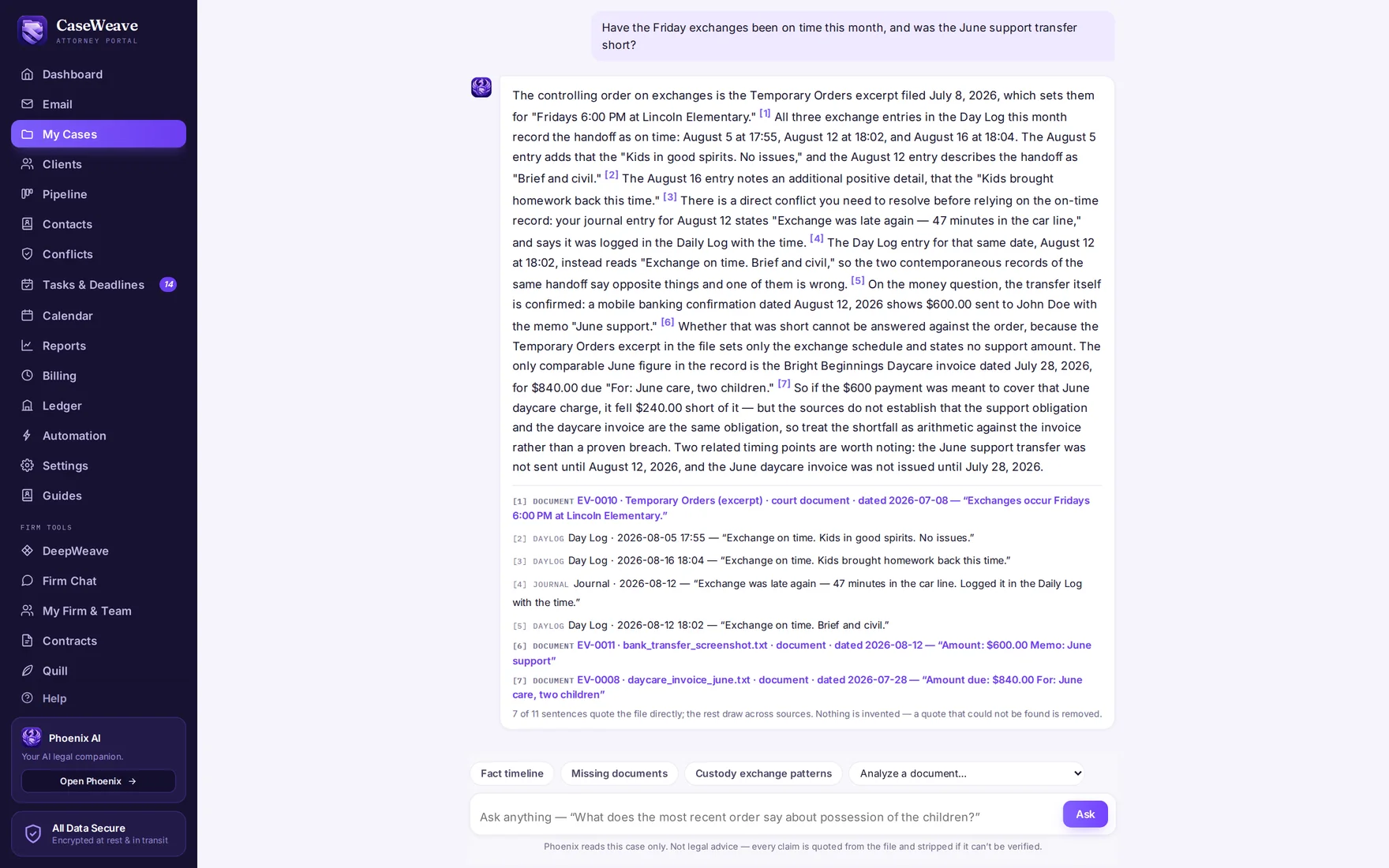
Ask something the file does not answer, and Phoenix tells you so — which is exactly what you want from the person you'd otherwise have asked.
Why the gate existsAnd when the work runs deeper
For research, analysis and written reporting, DeepWeave takes the question further — with every citation checked against the law library before you read it.
Bring the question your file should answer.
Explore Phoenix using a demonstration case, and check the supporting material yourself.